Product Design
By combining my interest in problem solving, user experiences, and user interface design I am able to creatively solve everyday problems- starting with ones that I experience myself.
The product below was created using Figma and Adobe Creative Suite.
"To Do" Mobile App Mockup - 2021
Overall Problem: Cities can be overwhelming and expensive.
After experiencing first hand how difficult it can be to find something to do in a big city, I decided that there should be a way to easily find activities in the place that you live.
My first steps were discovering what obstacles people currently face when they cannot figure out what to do. I consulted friends and my researched proved that there are 3 main problem areas that inhibit people from getting out of the house to enjoy an activity.
1. Convenience (People can be lazy and therefore need tools that are readily available and straight to the point)
2. Price (Cities can be extremely pricey)
3. Transportation (Some people don't have cars, want to avoid traffic, or might care more for certain parts of town)
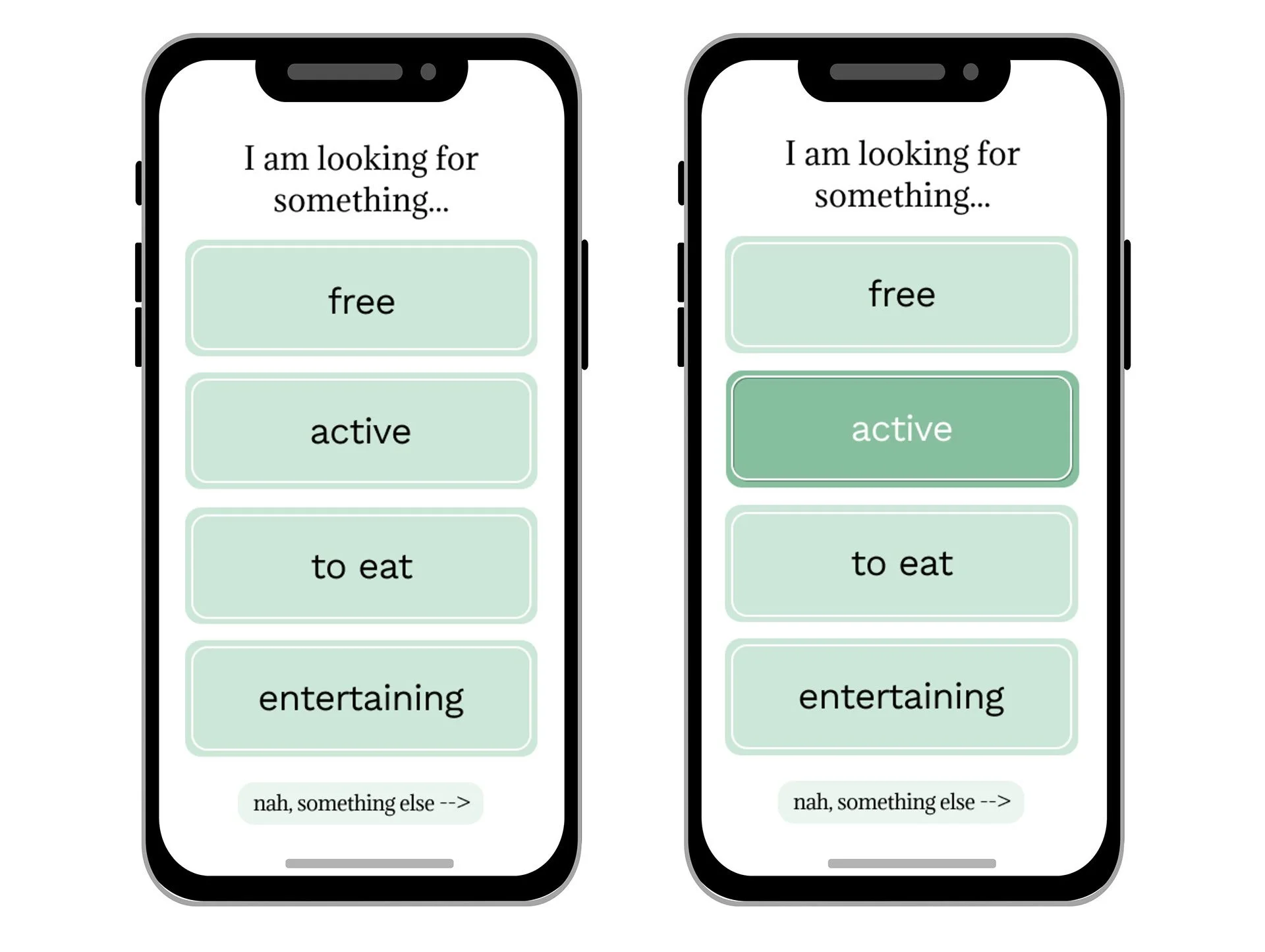
Solution: I created a mockup for an application that would allow users to find things for them to do in certain areas, based on their budget or how they are feeling that day.
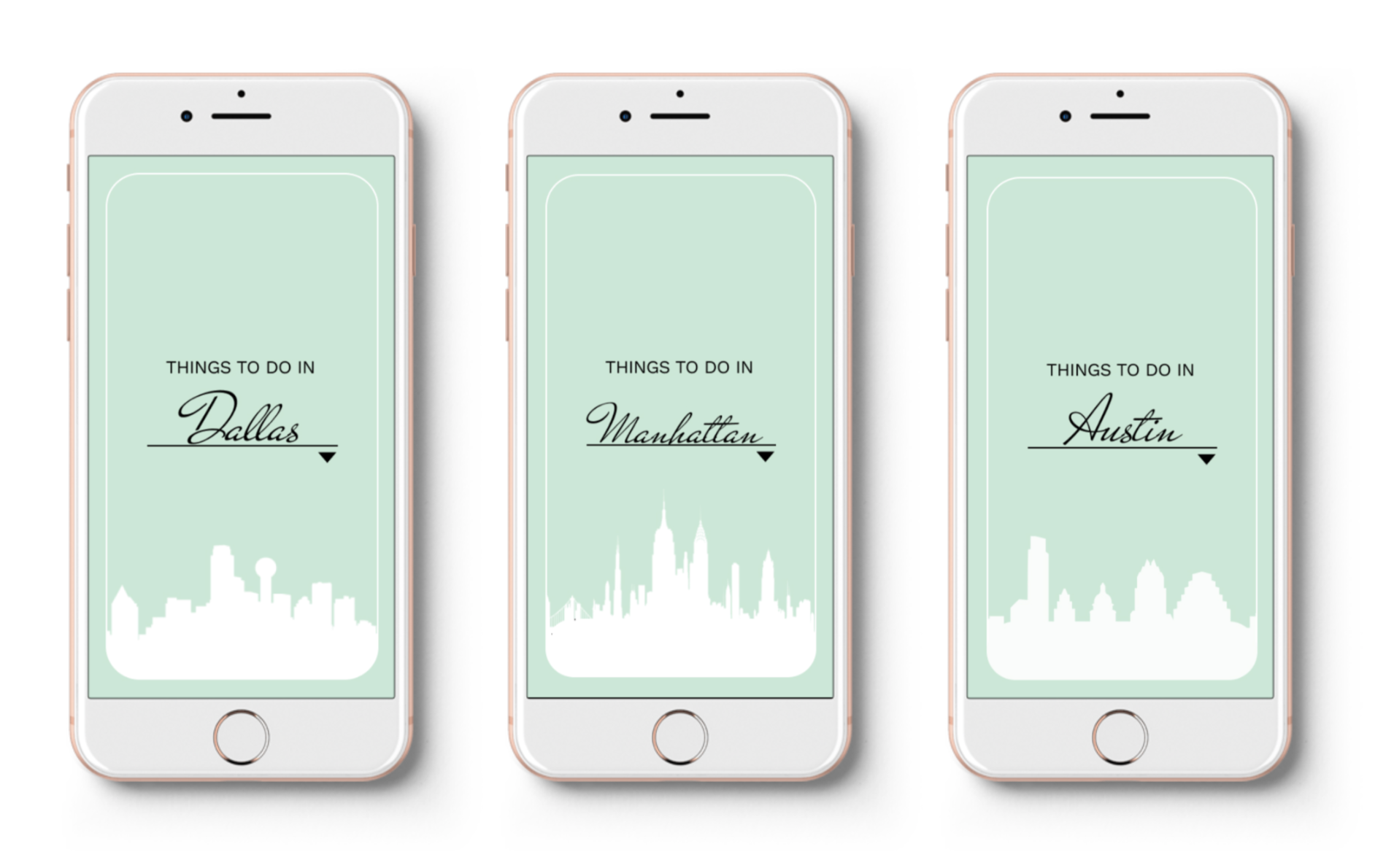
My Convenience Solution: Create an eye catching mobile app called “to do” with limited fuss, no ads and a direct-to-user pipeline to quickly and easily find something to do at that moment- whether they are on the go or at home.

My Price Solution: One of the filter options that the user can choose is "Free", so that the app will only recommend things to do that don't cost anything. Cities can be expensive enough as it is, and boredom shouldn't be accepted just because someone cant afford to do a certain activity.
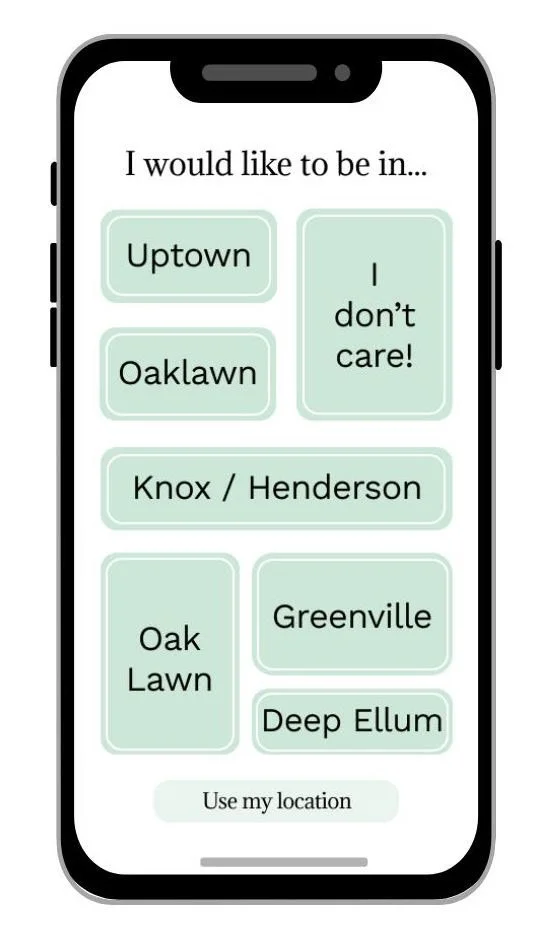
My Transportation Solution: Another filter allows the user to select which location(s) they would like the activity options to be in. Some user may want to drive, while others can only walk someplace nearby.
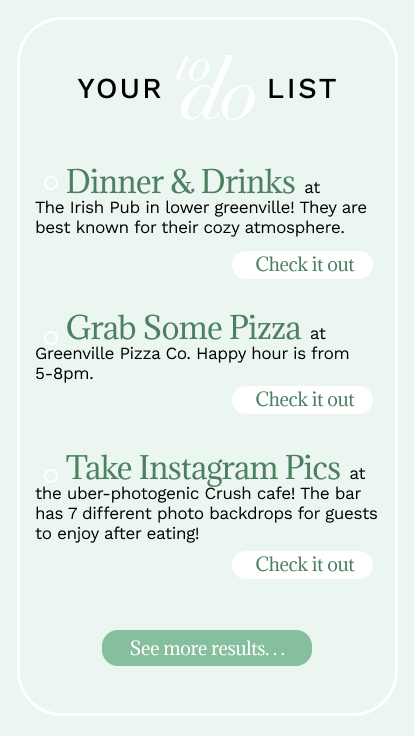
Search Results Page: The final page will show the user a list of things to do that align with the criteria that the user inputted in the previous screens. Each thing thing "to do" will have a link beneath it for easy accessibility and allows this to be a quick tool to use on the go.